 Linesmith
Windows installation guide
Install Linesmith on Windows
From the download to your first launch. For Windows 10 or 11, 64-bit. The first 3 videos are free.
Illustrated examples. Windows and Linesmith may use a different interface language from this website.
Download and open the installer
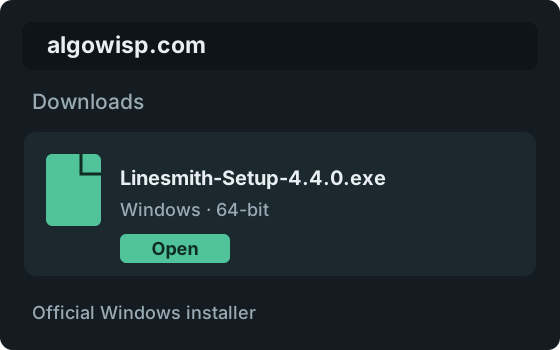
Use the Windows download button on this page. When the download finishes, open Linesmith-Setup-4.4.0.exe from your Downloads folder and follow the installer prompts.
Check the source
The official download is on algowisp.com. Release notes and the matching checksum are also available on our GitHub release page.
If SmartScreen appears, expand the details
If you see the blue “Windows protected your PC” screen, select More info. Check the filename, then select Run anyway only if you trust this download. If no warning appears, continue to the next step.
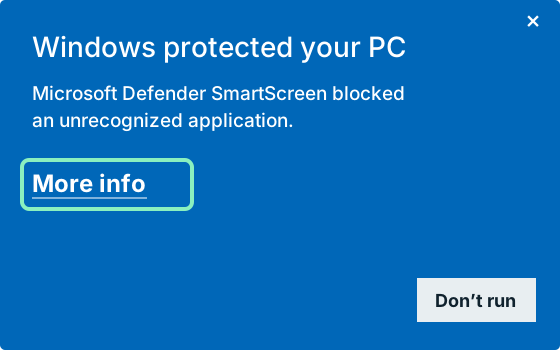
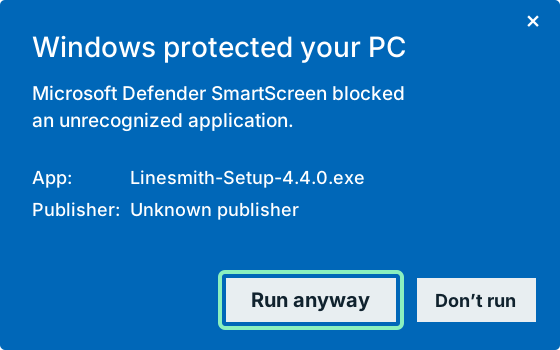
Illustrated examples, not screenshots. Wording and appearance vary with your Windows language and version. Select an image to enlarge it.
Let Linesmith download the parts it needs
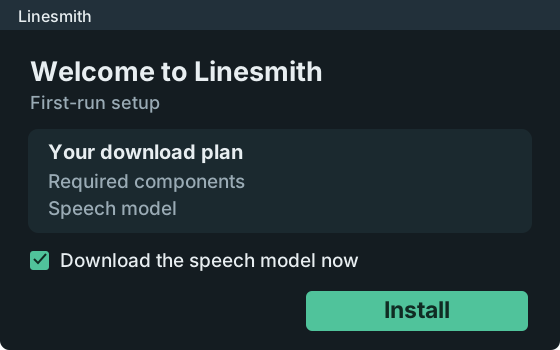
After the installer copies the app, the Linesmith setup window opens. Review its download plan and select Install. Keep the setup window open and your internet connection active while it works.
Allow for a larger first download
First setup downloads the required components and may download several GB, especially with an NVIDIA graphics card. The amount depends on your computer and selected speech model; a slow connection takes longer.
The speech model is selected for download by default. If you untick it, Linesmith downloads it when you first need it. Other features may download additional models when first used.
Illustrated examples, not screenshots. Wording and appearance vary with your Windows language and version. Select an image to enlarge it.
Open Linesmith
When setup finishes, select Open Linesmith. Later, open it from the Windows Start menu or the desktop shortcut if you chose to create one.
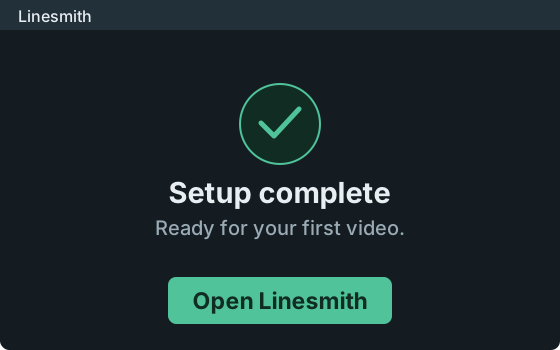
Ready for your first video
Add a video to create subtitles. Speech recognition runs on your computer without an AI key. For translation or dubbing, add your own AI service key in Settings.
If you need a hand
Windows does not offer “Run anyway”
Some Windows security configurations and managed work computers block unrecognized apps. Stop here and contact Linesmith support or your computer administrator. Do not turn off security protections to force installation.
The download is slow or setup failed
Keep the setup window open while it is downloading. If setup reports an error, check your internet connection and select Try again. You can reopen setup from the Start menu entry for Linesmith repair. If it fails again, send support the error message shown in the window.
How can I compare the installer checksum?
This SHA-256 value is for Linesmith-Setup-4.4.0.exe. Compare it with the hash of your downloaded file if you want to check that the bytes match this release. A matching hash verifies the file matches; it is not a code-signing certificate or a safety guarantee.
9b2bae6478894aa460b3c54b12dec7979ebb807b0f5b05408b7e90cf0c8e8dfbDo I need to buy a license before installation?
No. The first 3 videos are free with every feature. No Linesmith account is needed. Translation and dubbing require an AI service key; that service has its own pricing.
Still stuck?
Email [email protected] with your Windows version and the message you see. Never include your AI key or license key in a screenshot.